What are AI Databases? Benefits, Types, Use Cases
SQLFlash
12 min read
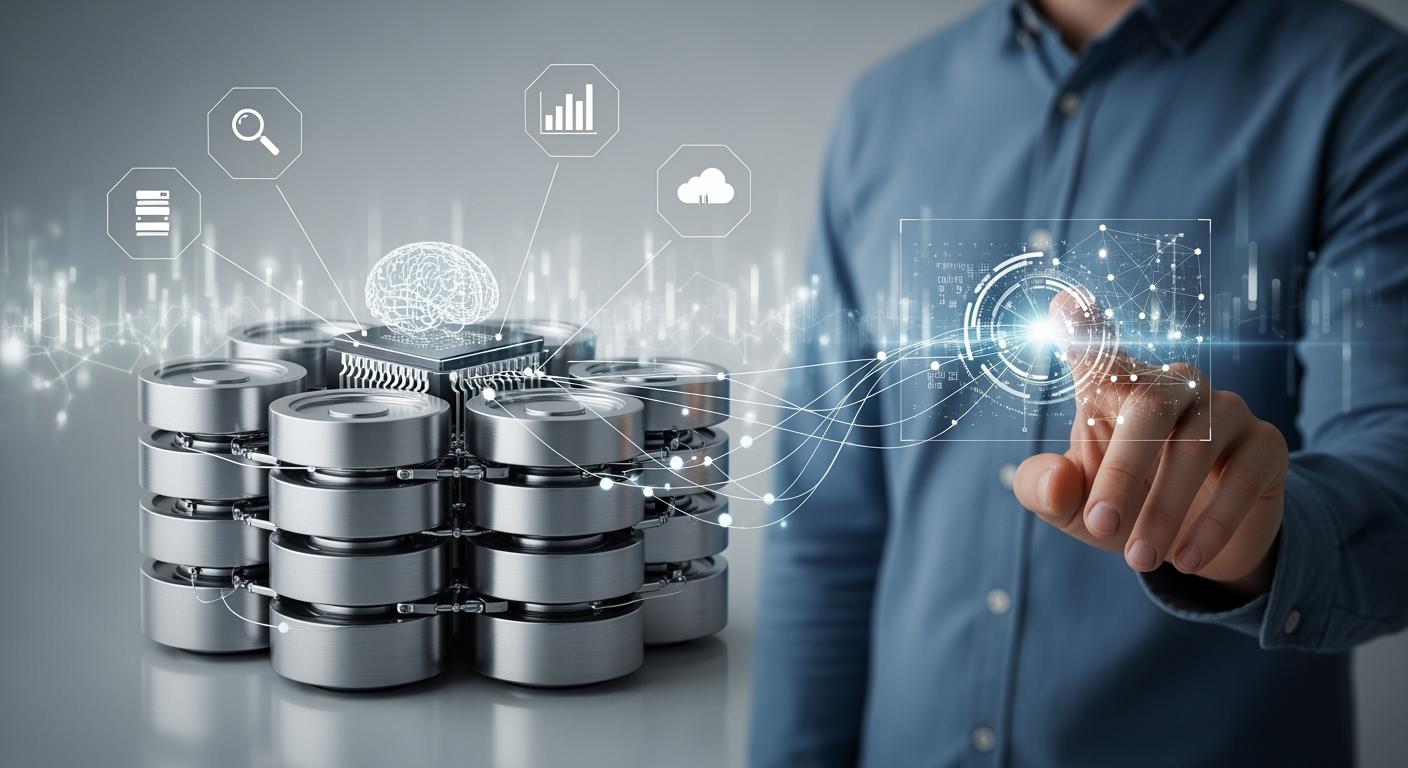
You use an ai database to keep and work with data for machine learning and artificial intelligence. These systems are different from regular databases. They can handle messy information and do quick searches on complex data. The table below shows how ai databases are not the same as older systems:
| Feature | Traditional Databases | AI Databases (Vector Databases) |
|---|---|---|
| Scalability | Has trouble with lots of data | Built to handle lots of data |
| Flexibility | Uses a strict schema | Works with changing data types |
| Performance | Slow with hard questions | Made for fast similarity searches |
| Integration with AI/ML | Not made for embeddings | Handles embeddings for ai models |
An ai database is a special data system. It helps you keep, find, and study information for ai and machine learning. You use it when you have lots of data, like text, pictures, or videos. Regular databases cannot handle messy or unstructured data well. An ai database can work with this kind of data. It lets you search quickly for things like similar pictures or words.
Ai databases have features that make them different from other databases. These features help you use data for ai jobs:
| Feature | Description |
|---|---|
| Support for Unstructured Data | Works well with unstructured data like text, images, and videos. This is good for ai projects. |
| Distributed Computing | Uses many servers to make things faster and more reliable. |
| Advanced Analytics Tools | Has tools that help you make choices from data without lots of coding. |
| Enhanced Security Features | Uses strong security to keep your data safe and private. |
| Scalability for Large Datasets | Can handle big data sets for training ai models. It grows as your data grows. |
| Real-Time Data Processing | Lets you use and study data right away. This is important for things like stopping fraud. |
These features make ai databases strong for jobs that need speed and flexibility. You do not have to write hard code to learn from your data. You can use both neat and messy data, which is key for ai work.
You might wonder how an ai database is different from a regular database. The big difference is how they handle data and help with ai jobs. Here is a table that shows how each works with different types of data:
| Aspect | AI Databases Handling Unstructured Data | Traditional Databases Handling Structured Data |
|---|---|---|
| Processing Complexity | Needs extra steps to find patterns in data | Can often be used right away in models |
| Tool Selection | Often needs deep learning methods | Regular machine learning works well |
| Timeline Expectations | Takes more time because of extra steps | Usually faster because data is already neat |
| Resource Requirements | Needs more computer power and skill | Needs less power and is easier to use |
You use an ai database when you need to work with pictures, words, or other messy data. You need more computer power and time, but you get better results for ai jobs.
Note: Regular databases are good for neat data, like numbers and tables. You pick an ai database when your data is messy and you need smart searches or analytics.
Ai databases are made for today’s ai needs. They help you work with big data, search fast, and learn from all kinds of information.
Every day, you deal with lots of data. An ai database helps you work with it fast. It can use both neat and messy data. You do not need to worry about how your data looks. Ai finds patterns and trends that people might not see. This makes your job quicker and more trustworthy.
Ai looks at big data fast. It finds trends and facts that help you make smart choices.
It does boring jobs for you. This lets you spend time on important things.
Ai uses old and new data to guess what might happen. This helps you plan ahead.
You get answers right away with real-time data. This is good when you need to act quickly.
Big data analysis needs to be fast, accurate, and private. Machine learning makes big data work better.
You want to know what is happening now. Ai databases let you do this. They look at data as soon as it comes in. You get answers right away. This helps with things like stopping fraud or watching what customers do.
| Benefit | Description |
|---|---|
| Improved Decision-Making | Real-time analytics helps you spot fraud and send alerts, so you can make better choices. |
| Enhanced Operational Efficiency | Automation lets you fix supply chain problems quickly, keeping your business running smoothly. |
| Proactive Problem Detection | Data streams help you find issues before they hurt your customers or your work. |
| Cost Reduction in Procurement | Watching suppliers in real time helps you save money when buying goods. |
| Dynamic Customer Profiling | Customer profiles update all the time, so your marketing and sales get better results. |
You want to spend less money on your data. Ai databases help you save by making storage and searches better. You use your current computers more. You do not need to buy extra servers.
Ai databases make storing and finding data cheaper. You do not waste space.
You use your systems better, so you pay less.
You match your data to the best storage. This saves money on ai projects.
You need your data to be safe. Ai databases have new ways to protect your information. They handle risks that come with ai jobs.
| Unique Security Features of AI Databases | Traditional Database Security Features |
|---|---|
| Non-deterministic nature of AI apps | Deterministic outputs based on user inputs |
| Unique vulnerabilities for attackers | Known vulnerabilities targeted by attackers |
| Blurred boundaries between data and code | Clear separation between data and code |
| Purpose-built security measures needed | Established cybersecurity practices exist |
| Autonomous behavior of AI apps | User-driven actions in traditional applications |
You can trust ai databases to keep all your data safe.
You often have data that does not fit in tables. This can be emails, pictures, or posts online. Ai databases work with this messy data easily. They use machine learning and language tools to understand it.
Messy data does not have a set shape. It is hard to sort.
Ai tools help you study and learn from messy data. You get useful facts.
Many companies use data lakes and NoSQL databases for this kind of data.
Machine learning and language tools help you work faster and better.
Ai helps you find key facts in many kinds of data.
Artificial intelligence changes how you use messy data. You can now learn from emails and social media, which was hard before.
Ai databases give you many good things. You can handle big data, get answers fast, save money, keep data safe, and work with all kinds of information. These features help you stay ahead as data keeps growing.
Image Source: unsplash
There are different kinds of databases for your projects. Each one is good for certain jobs. Experts put them into groups, as shown in the table:
| Type of Database | Description |
|---|---|
| Vector-only database | Used only for vector data and searching, like Pinecone. |
| Relational database | Popular DBMS that can use vector data, like PostgreSQL with PgVector. |
| Multi-model database | Handles many data types, such as vectors, graphs, and JSON, like Aerospike. |
Vector databases are for storing and searching high-dimensional data. They help you find things like images or text by comparing features as vectors.
Store complex links in high-dimensional space.
Use math to find items close to your search.
Support semantic search, so results match meaning, not just words.
Help match users with things they may like.
Improve answers from AI models with Retrieval Augmented Generation.
Graph databases show how data points connect. You can see how people, products, or events are linked. Many businesses use graph databases for important work:
| Industry | Application |
|---|---|
| E-commerce | Product recommendations |
| Finance | Fraud detection |
| Social Networks | User engagement analysis |
You can use these databases to spot fraud or suggest products in stores.
Time-series databases are for data that changes over time. You use them for things like sensor data, stock prices, or website visits. They give fast answers and save space.
| Feature | Description |
|---|---|
| Time-based indexing | Makes time searches quick and simple. |
| Efficient storage | Uses compression to save lots of data and stay fast. |
| High-volume ingestion | Handles lots of time-stamped data in real time. |
| Real-time processing | Updates and processes new data right away for quick results. |
You can use these databases to watch machines, track sales, or check website visits.
Multi-model databases let you use many data types in one place. You do not need a different system for each type.
Support many data models, so you do not worry about mixing data.
Keep your data the same, even if it looks different.
Use one storage layer for all your data.
Change between data models when you need to.
Make queries and manage tasks across models.
Handle full-text search, relational queries, and machine learning jobs.
Note: Multi-model databases help you with big projects by keeping everything in one system.

Image Source: unsplash
AI databases help you with many hard jobs. You can use them in lots of industries. They help you find fraud, make smart business choices, give personal suggestions, and guess future trends. Here are some ways people use these tools.
You want your money and info to be safe. AI databases help you spot fraud quickly. Banks and finance companies use them to watch transactions. They look for strange actions.
J.P. Morgan Chase uses AI to make a profile for every transaction. This helps you catch fraud as it happens.
HSBC uses behavioral biometrics. It checks if customers are real during sign-ups and online sessions.
Capital One had more fake identity fraud. AI helps you find mistakes in identity checks.
Synthetic identity fraud costs banks about $6 billion each year in the US. Mastercard’s AI stopped $20 billion in fraud losses in one year.
You can use AI databases to keep your business and customers safe. They help you act fast and protect your data.
You need to make smart choices for your company. AI databases help you study lots of data. They help you find important facts.
AI looks at huge amounts of data fast. You get answers quickly.
Predictive analytics helps you guess what will happen next.
Automation lowers mistakes and makes your work faster.
Real-time analysis gives you new information right away.
Better data visualization helps you understand hard facts.
“AI in business intelligence removes bottlenecks. You get insights right away and make decisions faster. For example, a marketing director can see campaign results instantly and adjust plans before it’s too late.”
You can use AI databases to make your business intelligence better. They help you stay ahead and make smarter choices.
When you pick an AI database, you need to think about a few key things. These help you find the right one for your business. They also make sure your data systems work well.
Vendor Capabilities: Check if the vendor works with your tools. Make sure their plans fit what you want.
Configurability: See if you can change the database to match your needs.
Compliance: Look for tools that help you follow rules and laws.
AI-native vs. AI-enabled: Find out if the system was made for ai or just added ai later.
You should also look at both technical and business needs. The table below shows what matters:
| Factor | Description |
|---|---|
| Integration with systems | The database should work with your tech. This stops data from getting stuck in one place. |
| Access Control | You need to control who can see your data. Good logs help you track what happens. |
| Total Cost and ROI | Think about all costs and benefits. Do not just look at the price. |
| Security and Privacy | Check how the database keeps your data safe and private. |
You can make your AI database project work by following some easy steps:
Start with Small-Scale Pilots: Try small projects first before using them everywhere.
Collaborate with Data Scientists: Work with experts to make sure the database fits your needs.
Monitor and Evaluate AI Performance: Watch how the database works. Make changes if you need to.
Stay Updated on AI Trends: Learn about new tools and updates to keep your system up to date.
You might have some problems, like making sure your data is good or connecting old and new systems. The table below shows common problems and ways to fix them:
| Challenge | Solution |
|---|---|
| Ensuring Data Quality and Availability | Make a plan to clean and manage your data. Get help from experts if you need it. |
| Integration with Existing Systems | Help your team get used to new tools. Update your systems when needed. |
| Resistance to Change | Show your team that ai can help them. It is not something to fear. |
If you follow these tips, you can pick and use an AI database that helps your business do better.
AI databases make it easier to work with data. You can find and fix mistakes quickly. You can put together data from different places. You get answers faster than before. This helps you do better at work. You save time and make smarter choices.
Experts say you should know what your project needs. Make sure the database works with your tech. Look for strong security to keep your data safe. If you want to grow, first learn what your data needs are.
SQLFlash is your AI-powered SQL Optimization Partner.
Based on AI models, we accurately identify SQL performance bottlenecks and optimize query performance, freeing you from the cumbersome SQL tuning process so you can fully focus on developing and implementing business logic.
Join us and experience the power of SQLFlash today!.